Get help with Octopad
Two ways to reach us: from inside the app, or by email. Both land with the people who build Octopad.
From inside Octopad
Every workspace has a feedback button. Look at the bottom-left corner of the sidebar, next to your name: the speech-bubble icon opens the form.
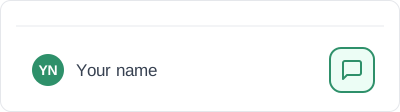
Tell us what happened: a bug, an idea, or a kind word. You can tag it with a category, such as performance or onboarding, so it reaches the right person faster. Your message goes straight to the dev team.
By email
Not signed in, or would rather write to us directly? Email [email protected]. Include your account email and, if you hit a bug, what you were doing when it happened.
Before you write
Setup, pricing, privacy, and which AI tools work with Octopad are covered on the FAQ. Connecting your AI for the first time is walked through step by step in the quick start.